

1. Your API key (billing)
Your API key identifies your OmniX account and is what we bill. Pass it as a Bearer token in theAuthorization header on every request:
Bearer token automatically.
Get your API key
Sign up, create a key from the dashboard, and you’re ready. New accounts start with free trial credit.
2. An X account token (the actor)
Each call is performed as a real X account. You supply that account’sauth_token cookie value so the action (and viewer‑relative fields like
canDm) reflect that specific user.
Where to put it depends on the HTTP method:
- GET requests
- POST requests
Pass it as the
auth_token query parameter:How to get your auth_token
auth_token is a cookie that x.com sets after you log in. The easiest way to
copy it is the free Cookie-Editor browser extension.
Install Cookie-Editor
Available for Chrome, Firefox, Edge, Safari and more. Install it, then follow the steps below.
1
Log in to X and open the extension
Go to x.com and make sure you’re logged in to the account you
want to use. Click the Cookie-Editor icon in your browser’s toolbar (pin it
from the extensions menu if you don’t see it).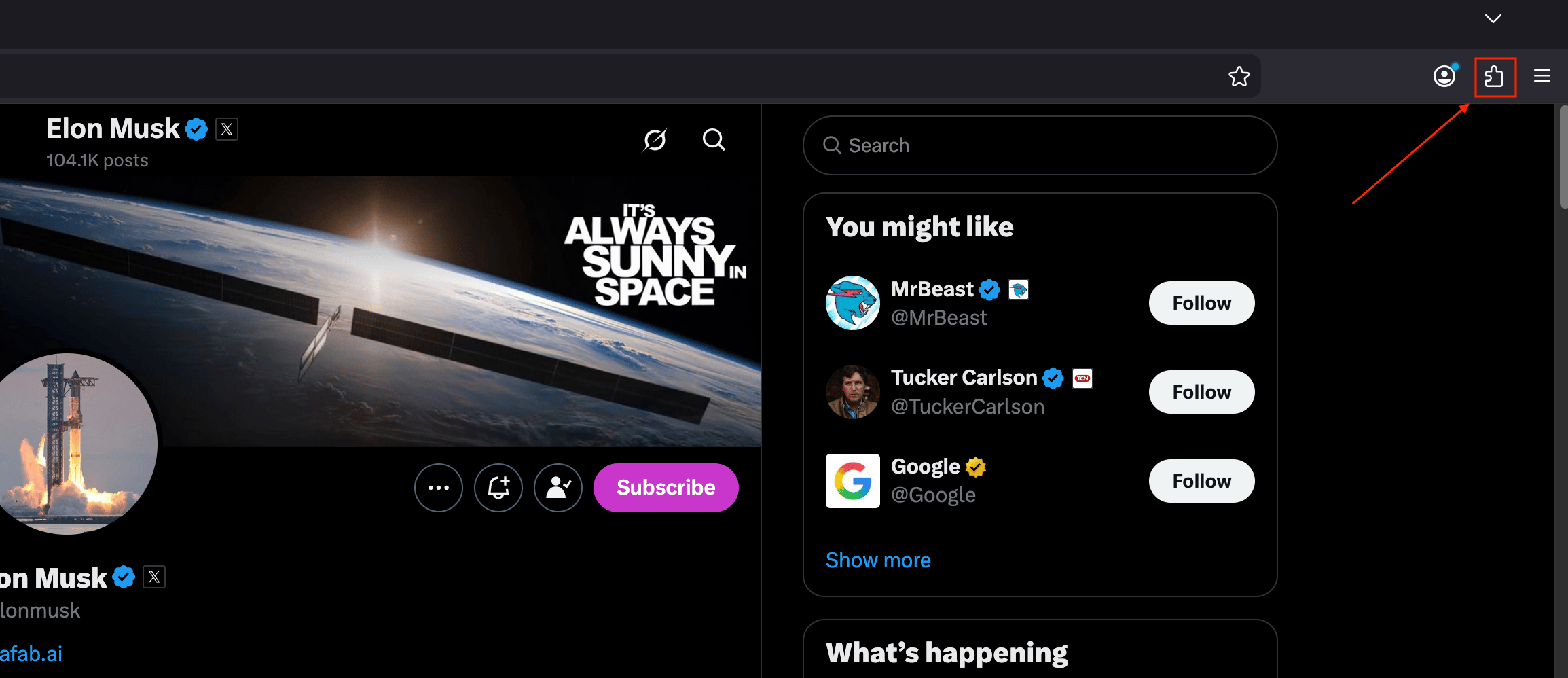
2
Open Cookie-Editor on x.com
Select Cookie-Editor from the extensions list. It opens showing all cookies
for 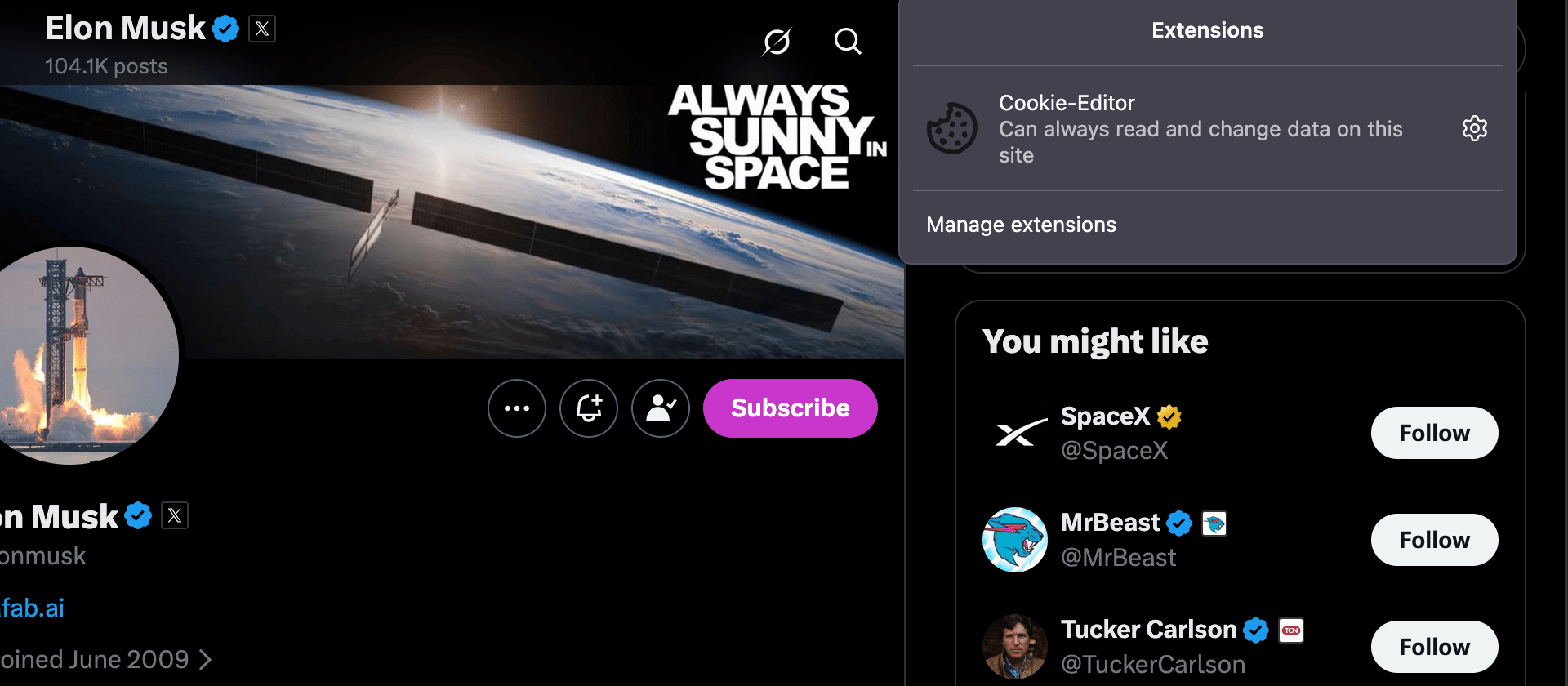
x.com.3
Copy the auth_token value
Find 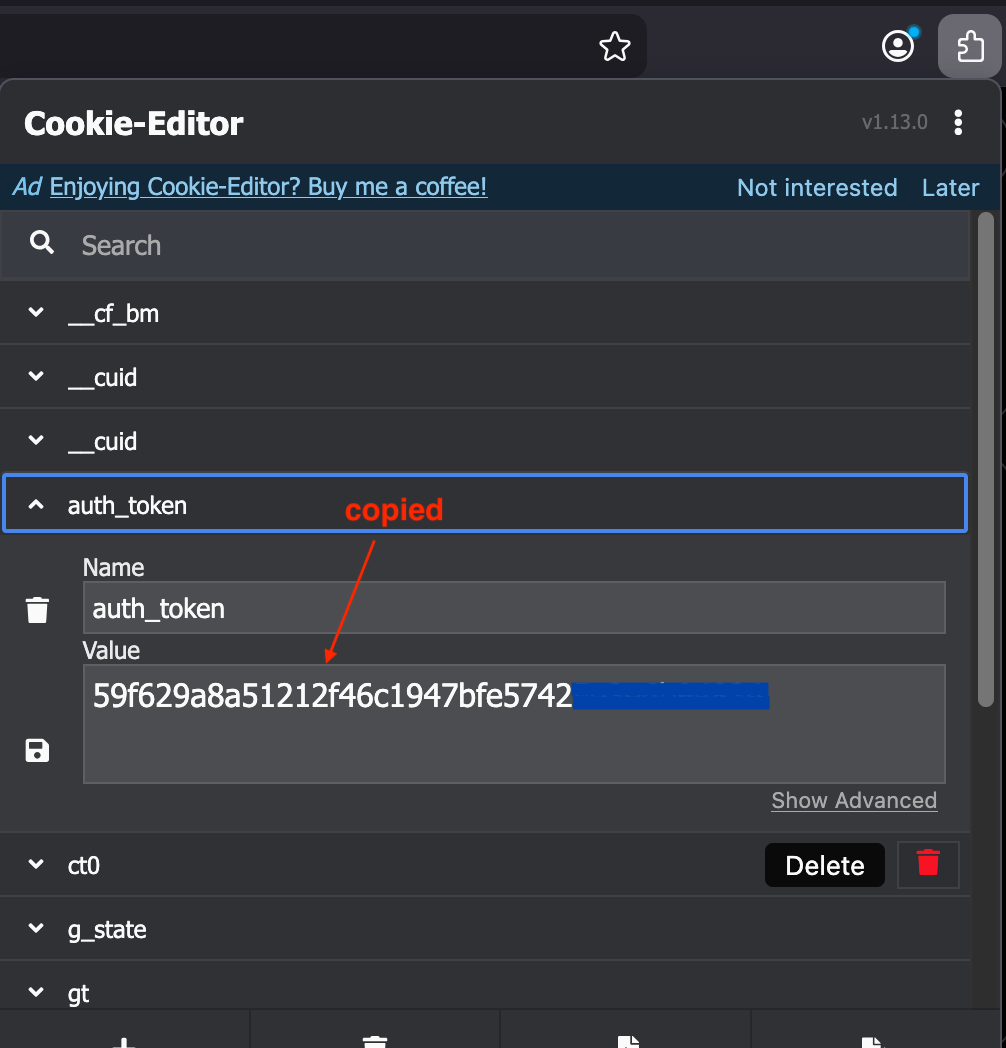
auth_token in the list and expand it. Copy its Value — that string
is your auth_token.Prefer not to install an extension? You can also copy it from your browser’s dev
tools: Application → Cookies →
https://x.com → auth_token.Routing through a proxy (optional)
Every endpoint that acts on X accepts an optionalproxy — the X request for
that single call is then routed through it. Useful for geo‑routing or spreading
calls across IPs. Pass it the same way as auth_token: as a body field on POST
endpoints, a query param on GET endpoints, or the x-proxy header on either.
Supported schemes are
http:// and https:// (with optional user:pass@). SOCKS
proxies are not supported. An unsupported proxy URL returns 400.Response headers
Successful, billed calls return two headers so you can track spend in real time:Errors you may see
See the full list on the Errors page.